
Judith Broadbent

- I'd describe myself as
Reading intentions
Your reading intentions are private to you and will not be shown to other users.
What are reading intentions?
Setting up reading intentions help you organise your course reading. It makes it easy to scan through your lists and keep track of progress. Here's an example of what they look like:
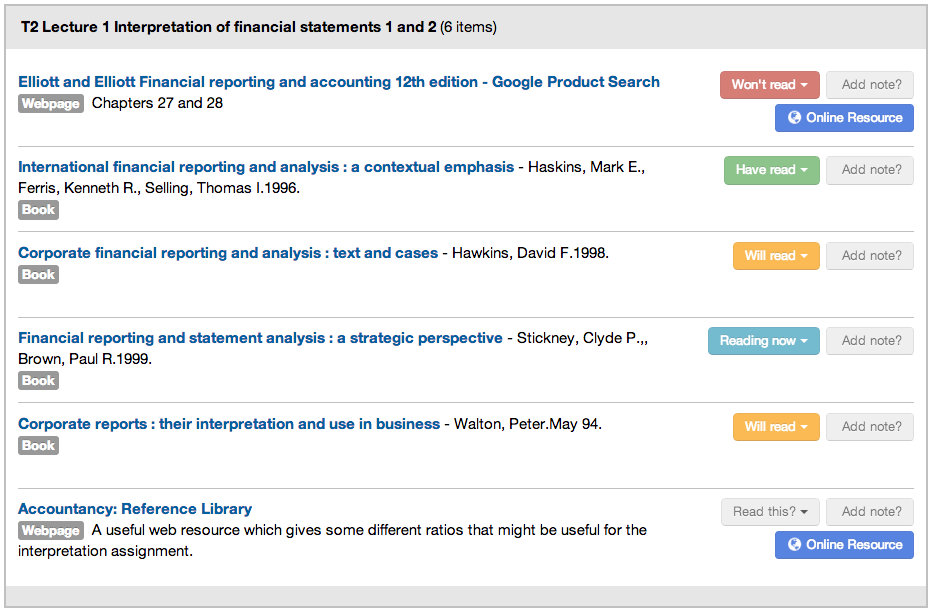
Your reading intentions are also stored in here in your profile for future reference.
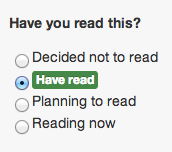
How do I set a reading intention
To set a reading intention, click through to any list item, and look for the panel on the left hand side:
Item notes
What are item notes?
You can use item notes to make personal notes on any of your reading items. Notes are private to you and will not be shown to other users.
You can review your item notes from the list, the item page or here in your profile page.
How do I create an item note?
To create an item note, click through to any list item, and scroll to the bottom of the page. Here you can type your notes:
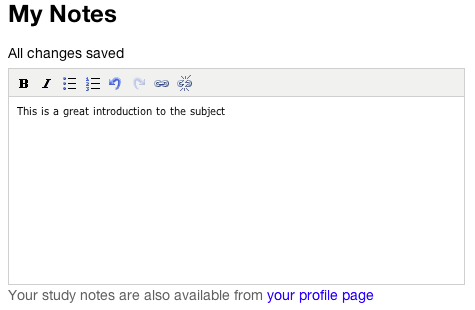
Your note will be saved automatically as you type.